Log in Request an installation

Everything your team needs, nothing in the way

A fast, minimal tool built for teams that manage projects with clients.

Voice AI that creates projects

Dictate a voice note: the AI builds the project with team, tasks and dates, and you confirm.

Client CRM

Portfolio with investment, win rate, last worked, sector and country; smart search and Excel export.

Quote → invoice → project

A timeline per quote, signed invoices and a project created automatically when you win.

Kanban board

Custom columns, drag and drop, image covers, a last column that completes the task and automatic refresh.

List, timeline, calendar and dashboard

Filter, sort, group and search. See dates as bars or on a calendar, and progress as metrics.

Complete tasks

Assignee, start and due dates, description, subtasks, attachments, followers and likes.

Comments and messages

Comment thread with activity, comment → task, and a messages tab per project.

Notifications and daily digest

Inbox, batched emails in each person's language and a digest every morning.

AI assistant

Ask what is due this week or who has the most work. It proposes changes that only apply when you confirm.

Themes, dark mode and photos

Seven palettes, automatic dark mode and a cropped profile photo for everyone.

API and webhooks

REST API with per-organization tokens and abilities, and HMAC-signed webhooks.

Multiple organizations and guests

Organization and project roles. Share a project with a client without showing them anything else.

Client follow-up

From first contact to closed deal, without losing anyone

Every client has a board and a profile: who they are, how they found you, what the deal is worth, how likely it is to close and when the next follow-up is due.
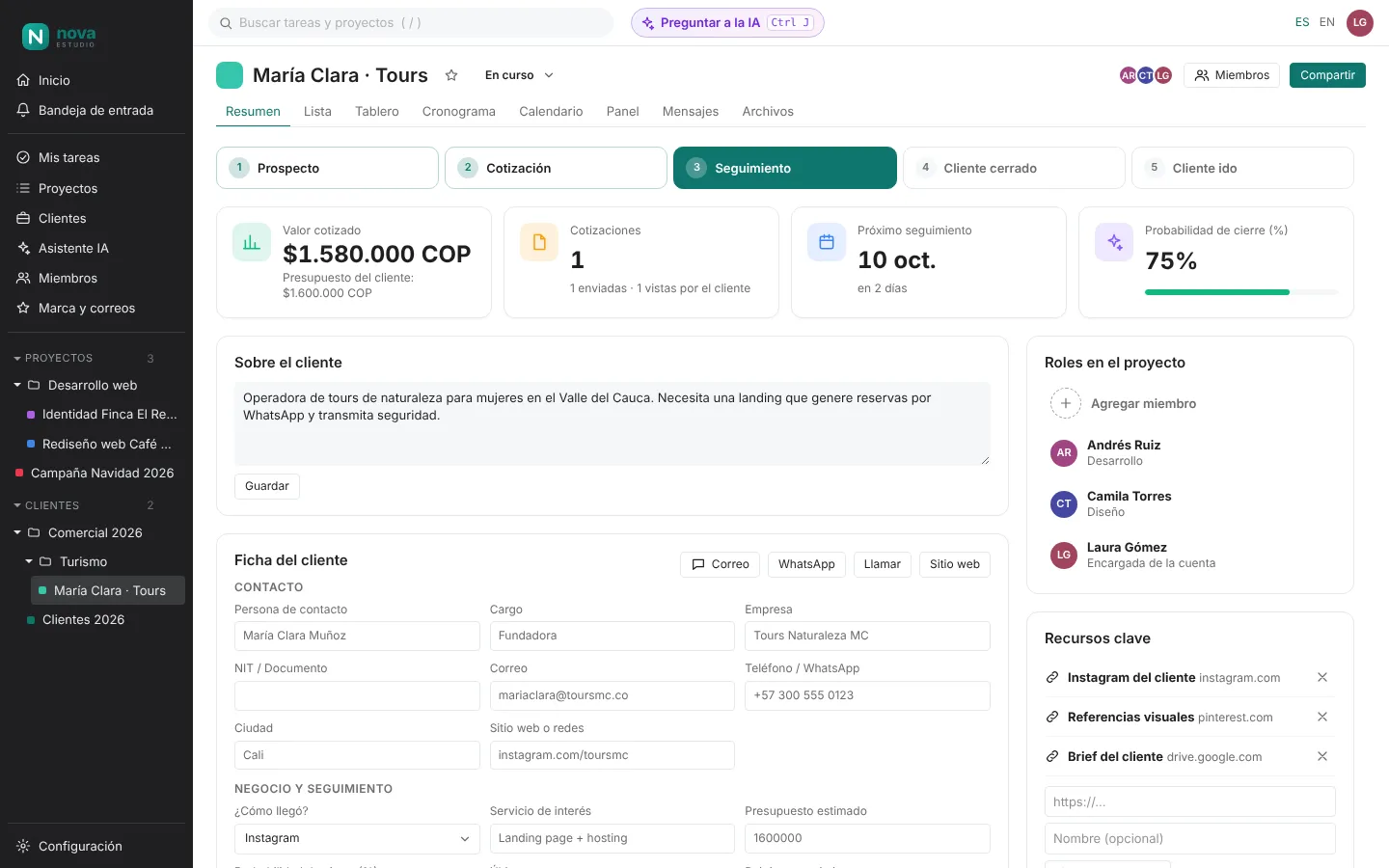
  • Visual pipeline: Prospect → Quote → Follow-up → Won.
  • Sales profile with budget, probability and next follow-up (it turns red when overdue).
  • One-click WhatsApp, call and email.
  • Folders to group clients by industry, year or salesperson.
  1. Prospect
  2. Quote
  3. Follow-up
  4. Won
Client overview with stage, quoted value, next follow-up, probability and sales profile

Online quotes

Fill in a few fields and your client gets a professional proposal

Type the services, prices and terms: Kanba builds a page with your logo and colours, on a link under your own domain to send by WhatsApp or email.
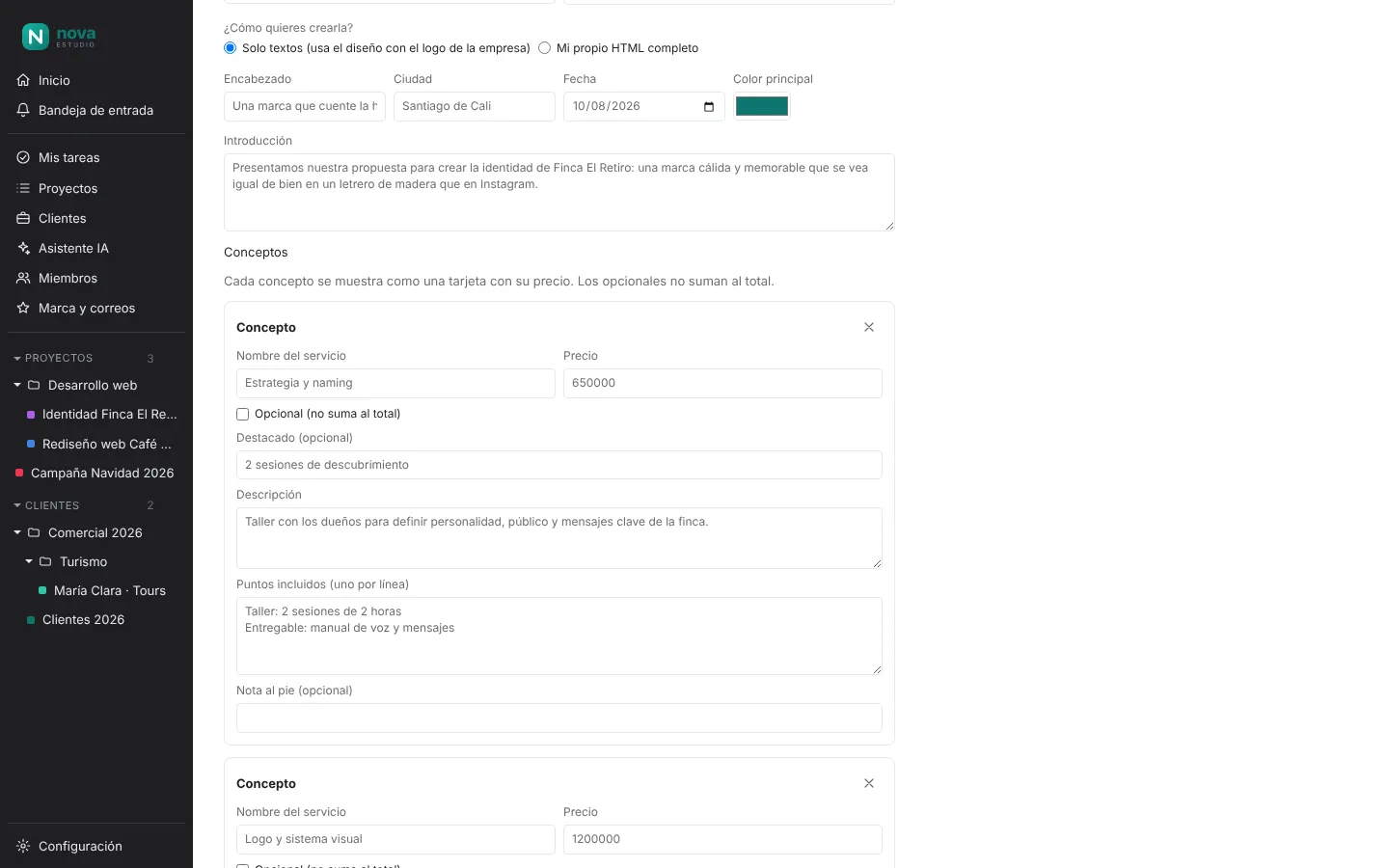
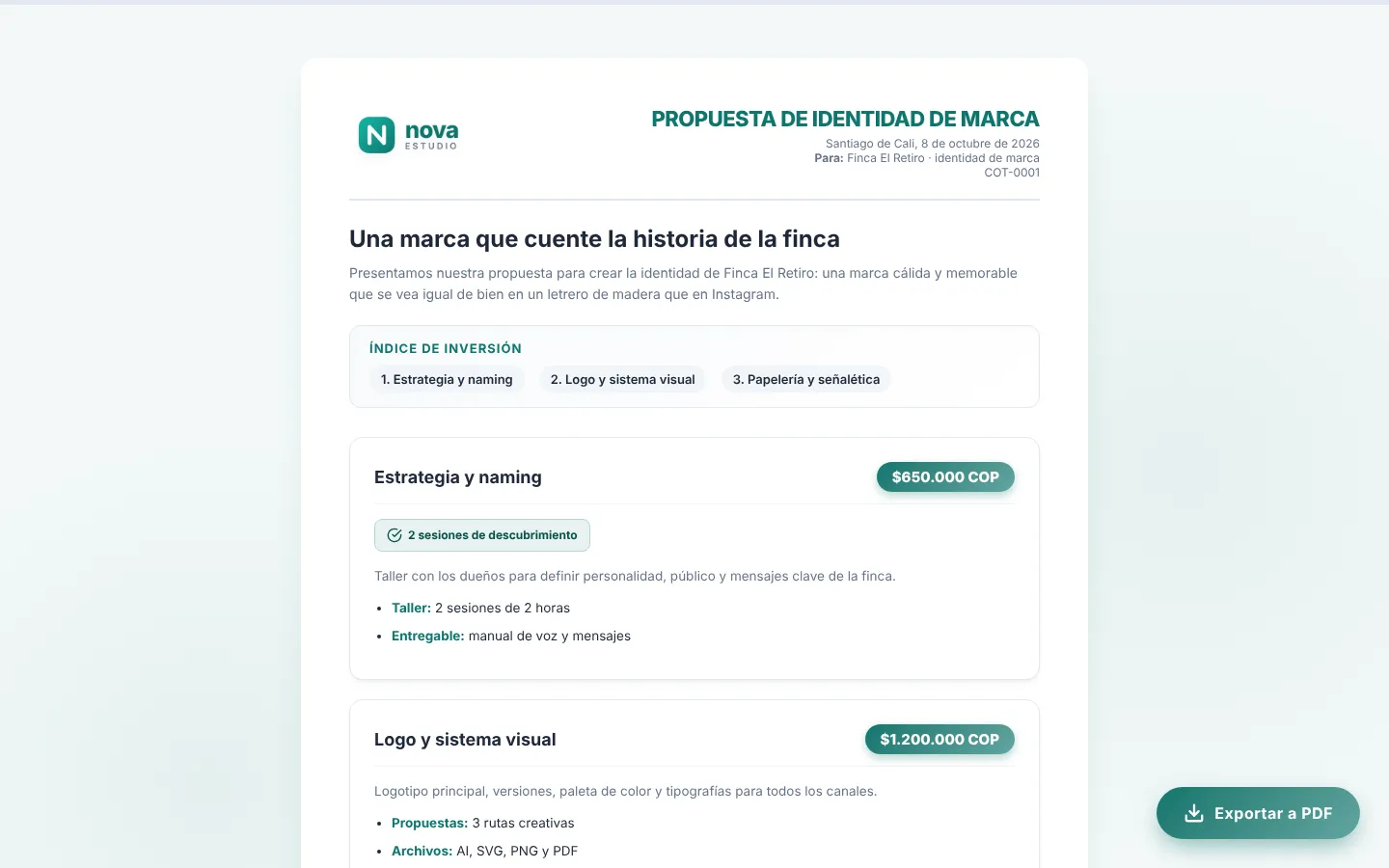
  • Ready-made proposal design: index, priced cards, total and signatures.
  • Private link on your domain and an “Export to PDF” button.
  • Notifies you when the client opens it and counts how many times.
  • Have your own design? Paste your HTML and it is published as is.
Quote editor with items, prices and terms
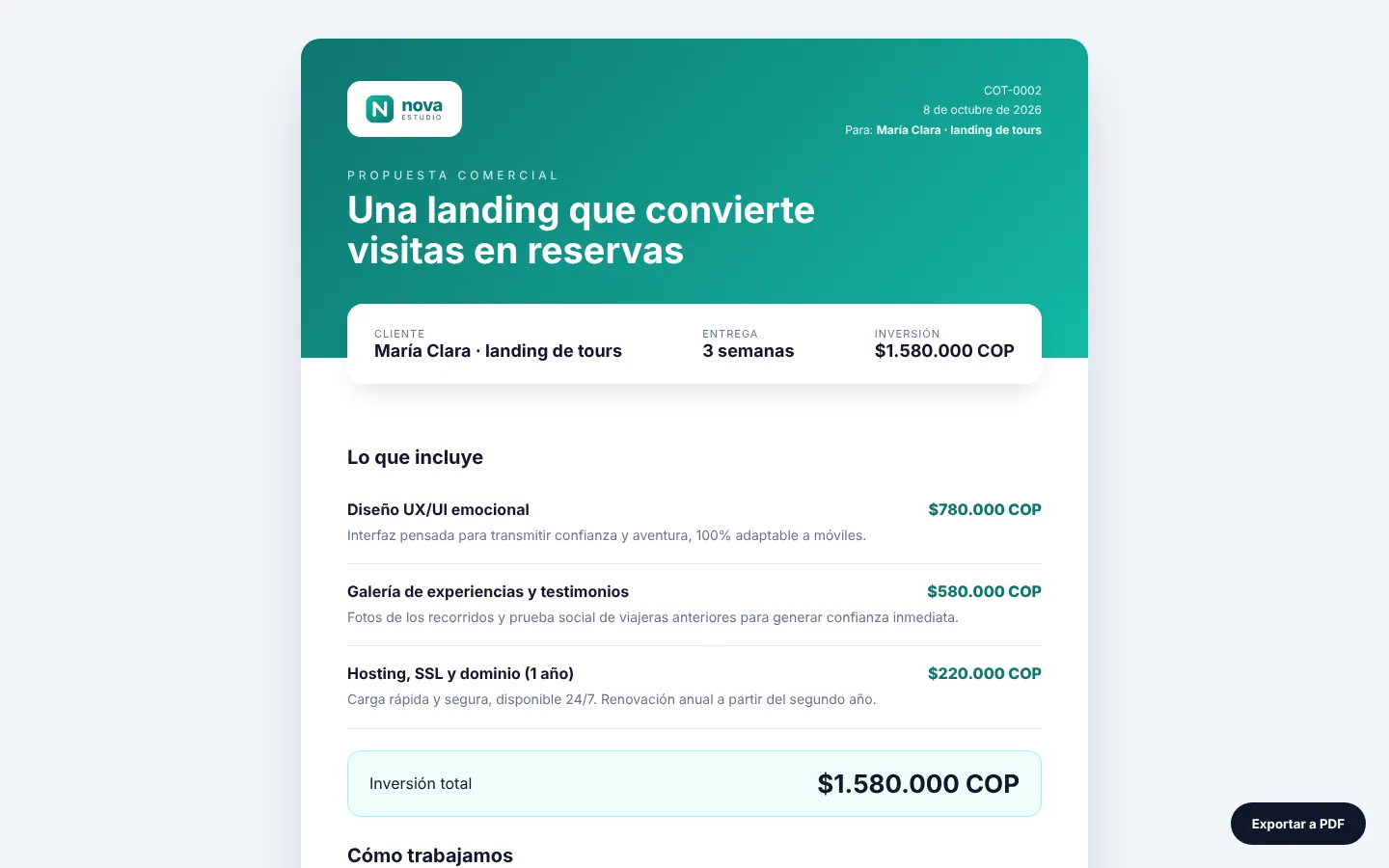
Quote published on the company domain, with logo and export-to-PDF button
✍️ You fill in the fields ✅ The client sees it online

✨ Artificial intelligence

Ask the AI for the quote and get it designed in HTML

Describe what you are quoting as you would to a colleague. The AI (Gemini or Claude) builds the full page with your brand, using the client data. You review, tweak and publish.
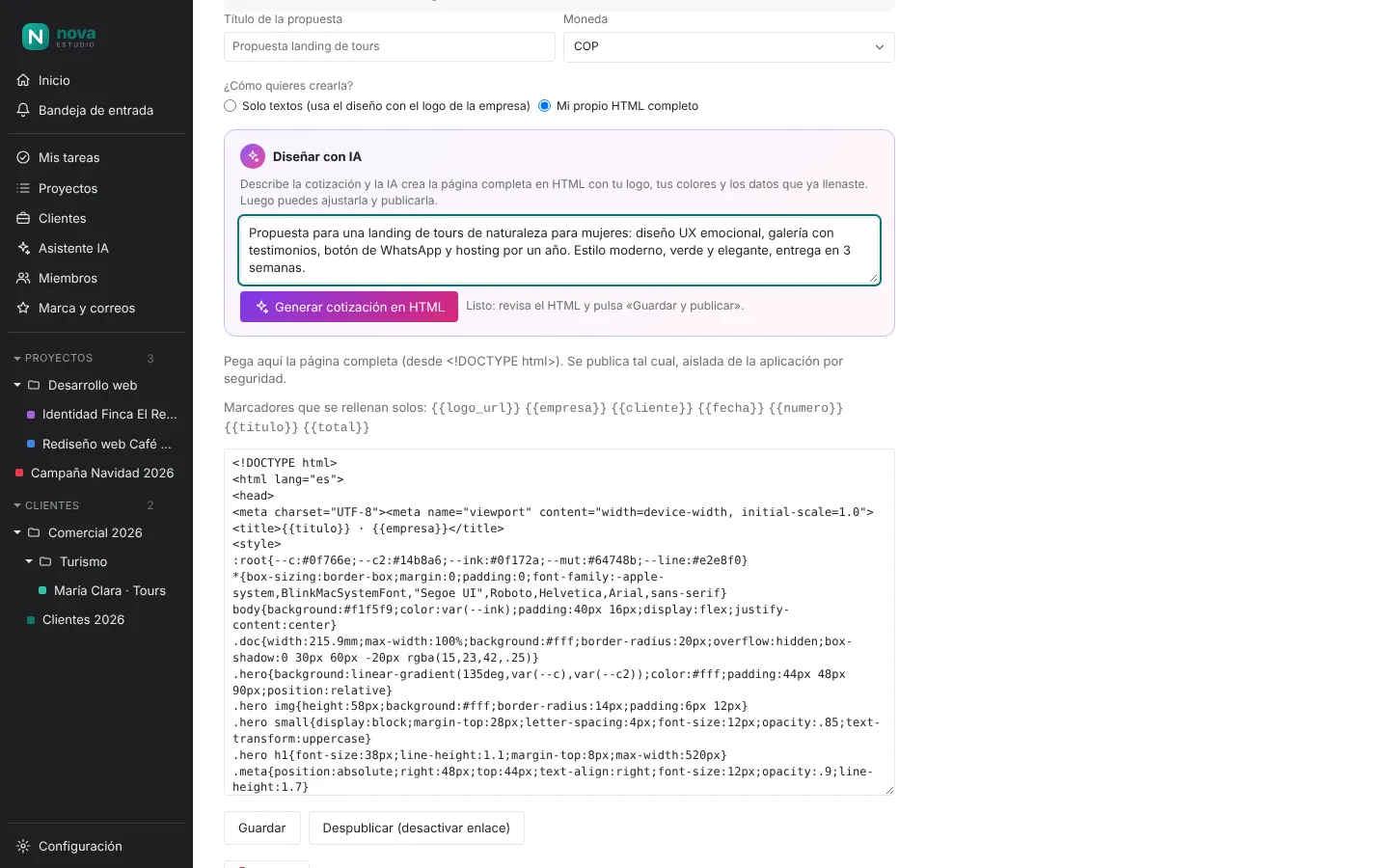
  1. 1Describe the proposalServices, style, timing and what matters to the client.
  2. 2The AI designs itFull page with your logo, colours, total and PDF button.
  3. 3Review and publishA link on your domain, ready to send.
Request to the AI to design a quote and the generated HTML in the editor
AI-designed quote published online

An assistant that knows your projects

From any screen hit “Ask AI” (Ctrl+J): which clients to follow up, what is overdue or who is overloaded. Keep the best answers in “Saved results”.
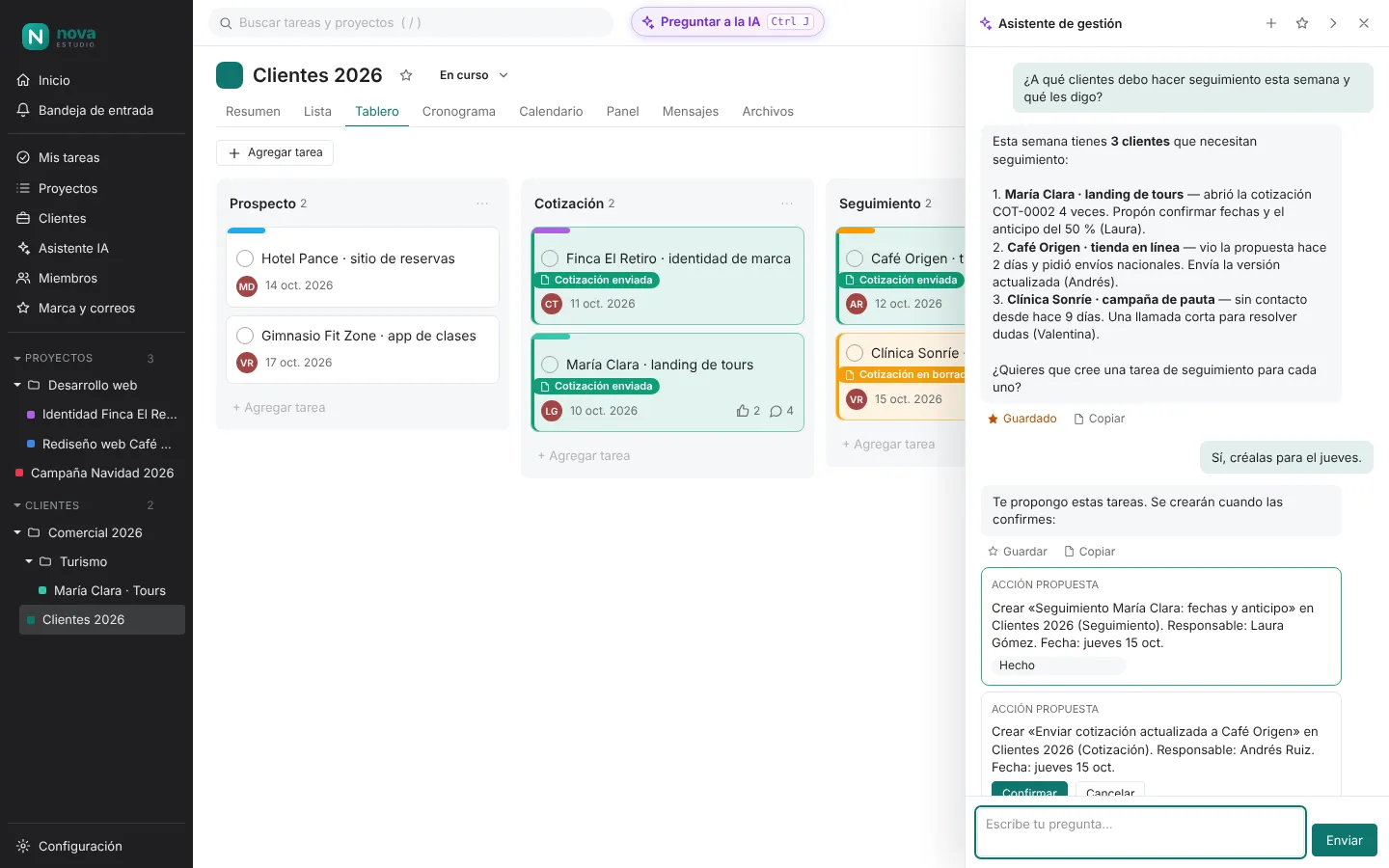
  • It only sees what the person can see.
  • It proposes tasks and changes; nothing is applied without your confirmation.
  • Daily usage cap per person to keep costs in check.
AI assistant panel with an answer about clients to follow up and proposed tasks

Teamwork

The whole team on the same quote

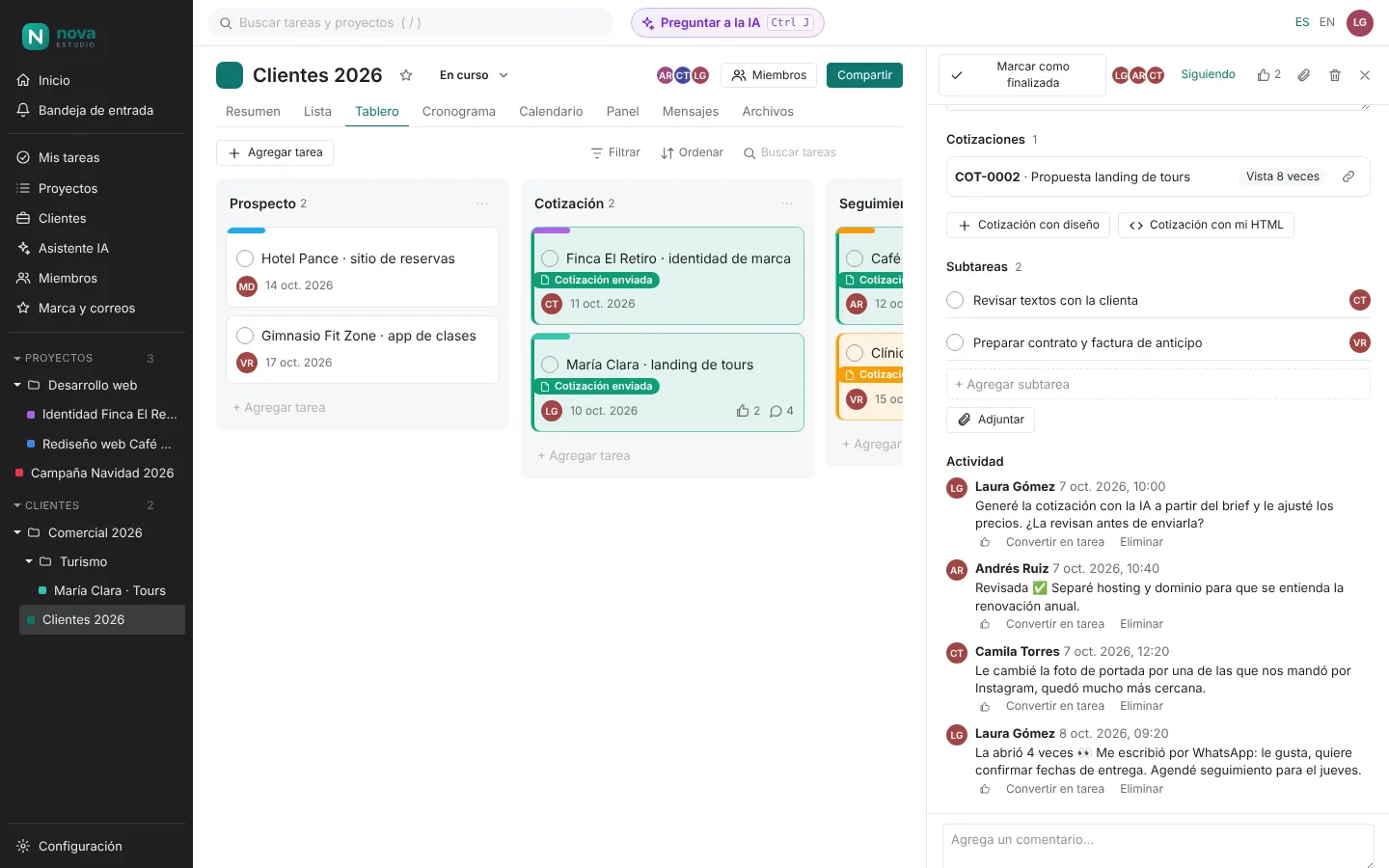
Sales, design and development comment, adjust and follow each client in one place. Every change is logged and emailed to whoever it concerns.
LGLauraSales ARAndrésDevelopment CTCamilaDesign VRValentinaAdmin
  1. LGLaura generated the quote with AI from the brief.
  2. ARAndrés reviewed it and split hosting and domain.
  3. CTCamila changed the cover photo.
  4. 👀The client opened the quote 4 times.
  5. LGLaura scheduled the follow-up for Thursday.
Client card with quote, subtasks and comments from several team members
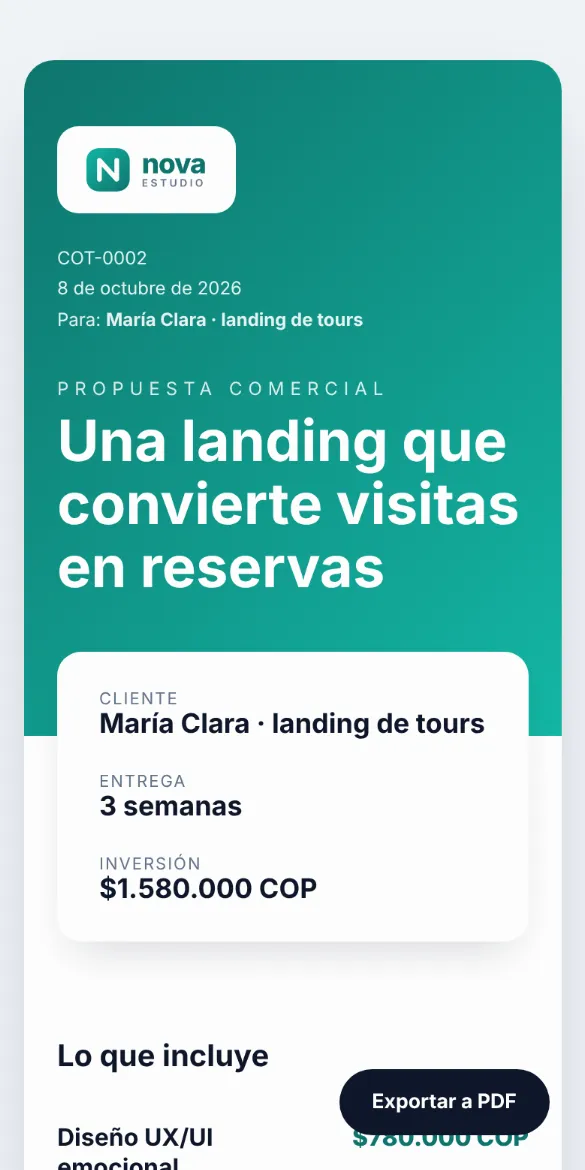
Quote viewed on a mobile phone

Your client sees it perfectly, even on a phone

Quotes adapt to any screen and print cleanly to PDF. You know exactly when it was opened.

A link, not a lost PDFAlways the latest version, on your domain.
Know when it is openedInbox and email alert.
Timely follow-upsNext-contact date that turns red.
Quote in minutesSimple fields or a full AI design.
Your data, your serverInstalled on your infrastructure, with your brand.
Everyone in syncComments, roles and activity on every client.

Request your installation

Request an installation